
Delete a Patron Note
To delete a patron note
- Open the patron record, Notes view.
- Select the note you want to delete, and select the delete button above the note.
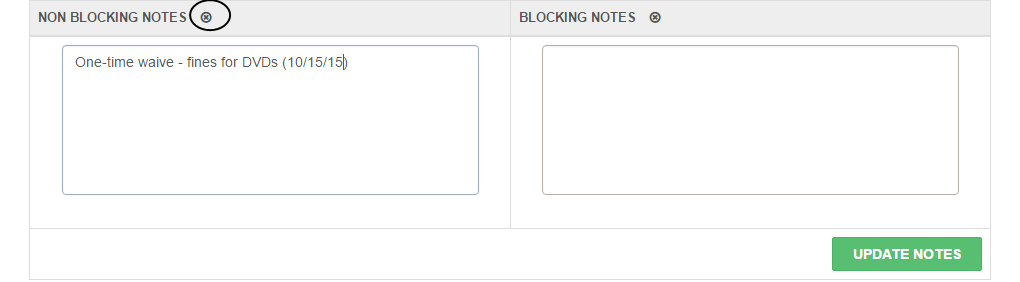
The note no longer appears.
- Select UPDATE NOTES to save your changes.
